
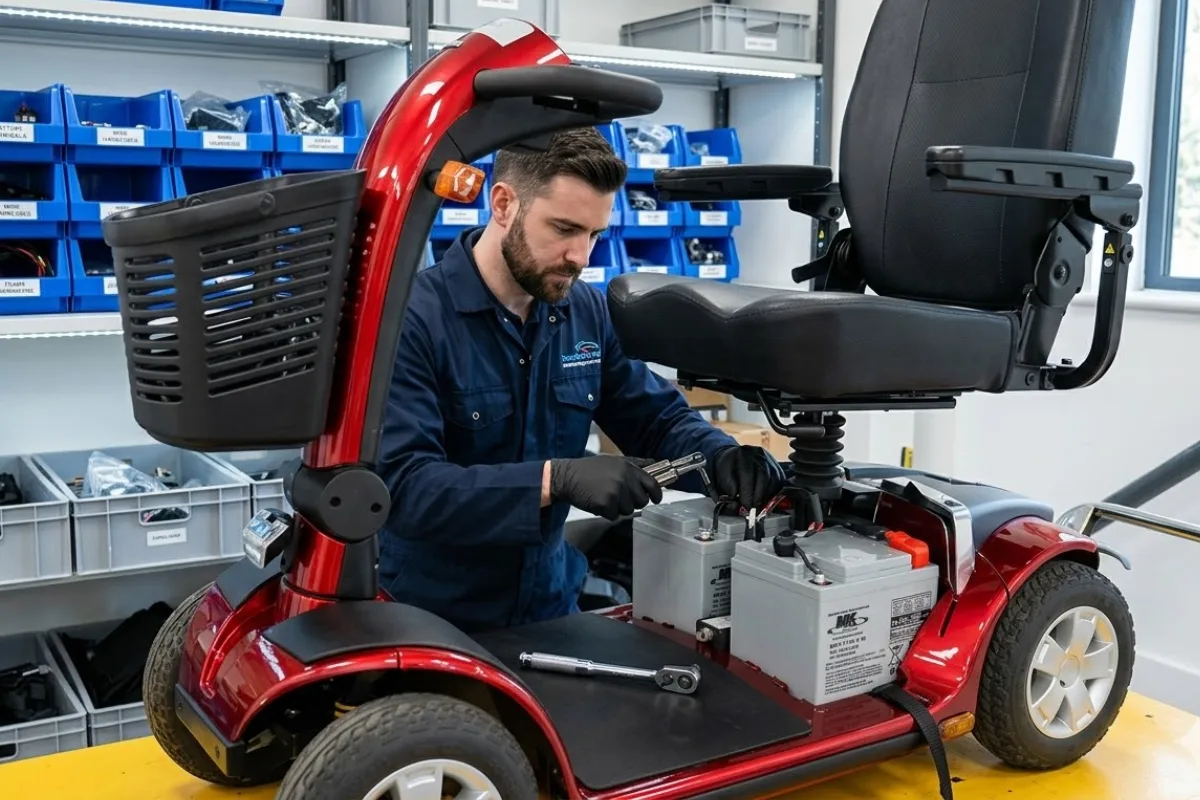
If your mobility scooter is losing power, not holding charge, or slowing down, your battery may need replacing.
The good news? You can replace the battery in mobility scooter in just a few simple steps.
This guide will walk you through the exact process to safely replace your battery and get your scooter running like new again.
When Should You Replace Your Mobility Scooter Battery?
Before replacing your battery, check for these common signs:
- Reduced travel distance after full charge
- Slow performance or weak power
- Battery not holding charge
- Frequent charging required
If you notice these issues, it’s time for a replacement.
Tools You Will Need
- New compatible battery
- Screwdriver or wrench
- Safety gloves
Important: Always use a battery that matches your scooter’s specifications.
Step-by-Step: How to Replace Mobility Scooter Battery
Step 1: Turn Off the Scooter
- Switch off the scooter completely
- Remove the key from ignition
- Place the scooter on a flat, stable surface
Step 2: Locate the Battery Compartment
The battery is usually located:
- Under the seat
- At the rear of the scooter
- Inside a front access panel
Check your user manual if unsure.
Step 3: Open the Compartment
- Lift the seat or remove the panel
- Use tools if screws are present
Step 4: Disconnect the Old Battery
- Wear safety gloves
- Disconnect negative (black) cable first
- Then disconnect positive (red) cable
Never touch both terminals at once.
Step 5: Remove the Old Battery
- Unfasten straps or brackets
- Carefully lift out the battery
Step 6: Prepare the New Battery
- Ensure it is fully charged
- Check size and compatibility
Step 7: Install the New Battery
- Place battery securely in the compartment
- Ensure terminals are accessible
Step 8: Reconnect the Cables
- Connect positive (red) first
- Then connect negative (black)
- Make sure connections are tight
Step 9: Reassemble the Scooter
- Close panel or reinstall seat
Step 10: Test the Scooter
- Turn on the scooter
- Check battery indicator
- Drive briefly to confirm performance
Common Mistakes to Avoid
- Using the wrong battery type
- Connecting cables in the wrong order
- Not tightening connections properly
- Skipping safety precautions
How Long Do Mobility Scooter Batteries Last?
Most mobility scooter batteries last:
- 1 to 2 years with regular use
- Up to 3 years with proper maintenance
How to Extend Battery Life
- Charge fully after each use
- Avoid deep discharging
- Store in a cool, dry place
- Clean battery terminals regularly
Need Help or Replacement Battery?
If you’re unsure about replacing the battery or need a compatible replacement:
Contact us to explore high-quality scooter batteries.
Frequently Asked Questions
Can I replace a mobility scooter battery myself?
Yes, most batteries can be replaced easily by following the correct steps.
How do I know which battery to buy?
Check your user manual or contact your supplier for the correct specifications.
Is it dangerous to replace the battery?
No, as long as you follow safety precautions and disconnect cables properly.
What happens if I use the wrong battery?
It can damage your scooter or reduce performance.
Final Thoughts
Replacing your mobility scooter battery is a simple but essential task that keeps your scooter reliable and safe.
With the right steps, you can save time, avoid repair costs, and maintain your independence.